Crownhold Troubleshooting
Launch-week bugs Tobias already patched, plus the UI friction that is still just the hover box.
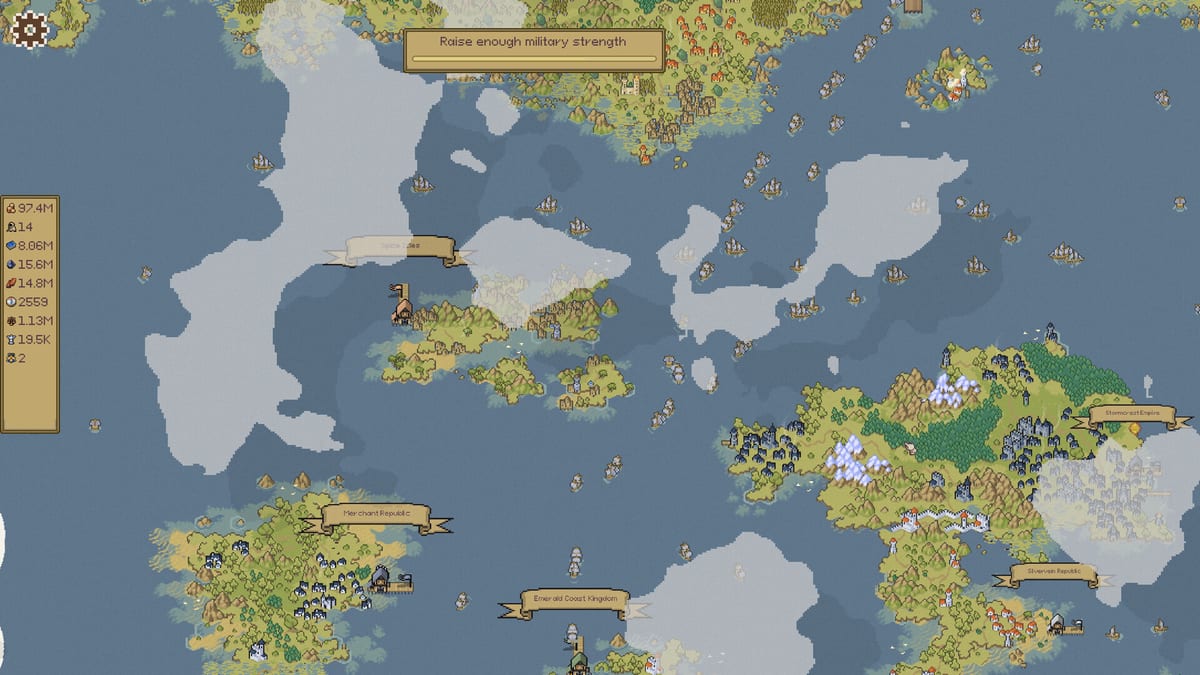
Crownhold shipped on 17 August 2026 and then patched the same day and the next. This troubleshooting page is a tick list, not a drama. If the game will not load, start here. If it loads and the keep is confusing, leave: Getting Started and the first-hour checklist are the right tabs. Official Steam news is summarized on the Updates Hub. Support mail on the store is crownhold@mailbox.org.
Loading screen freezes
Launch-week players reported loading stalls and freezes. Steam news for v1.0.1 said loading stability improved and added a setting to deactivate parallax scrolling backgrounds in menus. A same-day v1.0.1 Hotfix said it brought a loading-freeze fix that already worked on the testing branch into the live build. Update through Steam. If a freeze survives that:
- Toggle the parallax / scrolling-background option off. Menus that slide forever are a cheap GPU tax.
- Alt-tabbing used to be a demo-era crash magnet; v0.8.3 already targeted that. Give the window a second before you assume a hard lock.
- Verify local files in Steam. The install is about 200 MB; a partial update is more likely than a dying GPU.
- Player summaries after launch still mention one-time freezes that a restart cleared. That is annoying, not a wipe. Steam Cloud is listed.
- Game does not load anymore and black screen threads appeared after the first patches. Update Steam, verify local files, disable overlay/recording tools, toggle parallax off, then try windowed mode. A 200 MB install that fails after a patch is more often a partial download than a dead GPU.
- Smaller text breaks the game is a community report: if you shrank UI text in settings and panels or buttons vanished, restore the default text size before you assume the save is corrupt. Steam lists adjustable text size; that slider is not a free “make everything tiny” without hitbox cost.
Linux and SteamOS share the same light CPU/RAM/storage line as Windows. System requirements has the numbers. Steam Deck reports in public review summaries were mixed-positive: many said it ran well, some still saw stutter. Partial controller support means a mouse or trackpads will still win for hover panels.
Decree timer stuck
If you skipped a decree and the clock died, that was a named bug. The v1.0.1 Hotfix fixed stalling decree timer when skipping a decree choice. Update, then skip or accept freely. How to read the laws themselves is decrees. Do not prestige to unstick a timer.
Hover boxes, tabs, and stuck tooltips
This is the loudest complaint that is not a crash. You hover a workplace, the upgrade list appears, you move toward a button, the box dies. Review summaries also call tabs and menus annoying. Workarounds that still work after the UI overhaul in demo v0.8.3:
- Approach the panel from the side that stays over the building hitbox.
- Buy in short bursts.
- Escape → Resume if notifications stack. Title → Continue if that fails.
- Camera panning no longer (as of v0.8.3) should force panels open or fire hover sounds. If a pan still opens five tooltips, that is worth a mail to support with your build number.
- Info boxes stuck on screen and building closing when moving the cursor are the same hover family. Escape → Resume still clears stacked notifications. Approach from the side that stays over the hitbox. Controls is the longer note.
- Game randomly slows itself down after long sessions: restart the client, cap background apps, turn off parallax menus. This is a short incremental; a six-hour sit can still hitch a cheap GPU.
King is Watching makes hovering productive, which also makes a bad hitbox louder. Park on the guild when wood is the banner. Full notes: controls.
Missing trees, towns, and grass
Demo refugees asked where the trees went. Forestry art is gated. Empty countryside before wood is normal — realm map. If towns or grass vanish after they existed in the same session, restart and verify files. That is a render hitch until Mikula names it in Steam news.
Prestige UI that looks like game over
Opening a monument or book is not automatically a reset. v1.0.2 made most monuments available from the start, so the statue is in your face earlier. Confirm only when the prompt says expansion progress will rewind. The 18 August patch fixed a bug that hides earned Prestige points before reaching Tier 5 and promised better prestige progression tooltips. If your points vanish below Tier 5, you are on a pre-patch build. How to prestige and v1.0.2 explain the intended flow.
Missing gold prestige points was v1.0.2’s headline. If a Gold Prestige rank did not credit, update, then check the book again. We do not publish a save-hex edit.
Warfare, Admiralty, catapults
If a tooltip now mentions catapult autofire, Admiralty (Steam’s notes also typo’d “Amdirality”), Dominion, Vassal Doctrine, or Royal City, those strings came from official patches — 1.0.2 and the 18 August endgame post. They are not missing DLC. Hover them. Siege and warfare maps the names. Vassals and Royal City is the spend order. Threads titled Royal Admiralty upgrades seem to do nothing, Dominion bonuses not working, Royal Arsenal bonus bug, and Tributary Command bug are live player reports. Update first. If the number still does not move, mail support. There is still no wiki DPS sheet.
Shatter Ironbridge with no continue control is on the siege page, not a missing fog tile.
What not to download
No trainers. No “Crownhold codes.” No Trello. This is a paid single-player Steam incremental. If a site wants a script injector, close it. Links is the only off-wiki directory we trust.
If none of this matches — audio, a save that will not cloud, a language that stuck on first launch — the demo-era locale-migration bug was already patched in v0.8.3. Start in English or German (the only official full-audio languages), then write crownhold@mailbox.org. The review is the buy-side page; this tool is for a client that already sits in your library.
Frequently Asked Questions
Quick answers to the most common Crownhold questions.
The game froze on the loading screen. What first?
Update to at least v1.0.1, turn off scrolling menu backgrounds, then verify files. A single restart still clears some leftover stalls.
I skipped a decree and nothing happens.
That skip used to stall the timer. Install the v1.0.1 Hotfix, then skip or accept again. See the decrees guide for which laws are worth taking.
My prestige points disappeared before Tier 5.
That hide bug was patched on 18 August 2026. Update. Do not reset the run to force the number to show.
Does Crownhold run on Steam Deck?
Linux/SteamOS is listed. Player notes after launch often say it runs well, with hover panels still happier on a mouse. Specs are on the system-requirements page.
The game will not load, or I only see a black screen.
Update Steam, verify files, disable overlays, turn off scrolling menu backgrounds, try windowed. Then write crownhold@mailbox.org with the build number.
My trees, towns, or grass disappeared.
Empty countryside before forestry is normal. If they vanish after they existed, restart and verify files. See the map guide.